

URLs vs. Slugs: Understanding Web Addresses and Their SEO Importance

Last updated:
7 July 2025
|
25 minutes readKey Takeaways
- URLs are full web addresses; slugs are the final part, defining a page's human-readable identifier.
- SEO-friendly slugs use hyphens, are descriptive, avoid special characters, and remain concise.
- Slug optimisation improves readability and search performance by clarifying page context.
- Avoiding stop words and non-ASCII characters keeps slugs clean and effective.
- Consistent URL structure supports crawling, indexing, and user navigation.
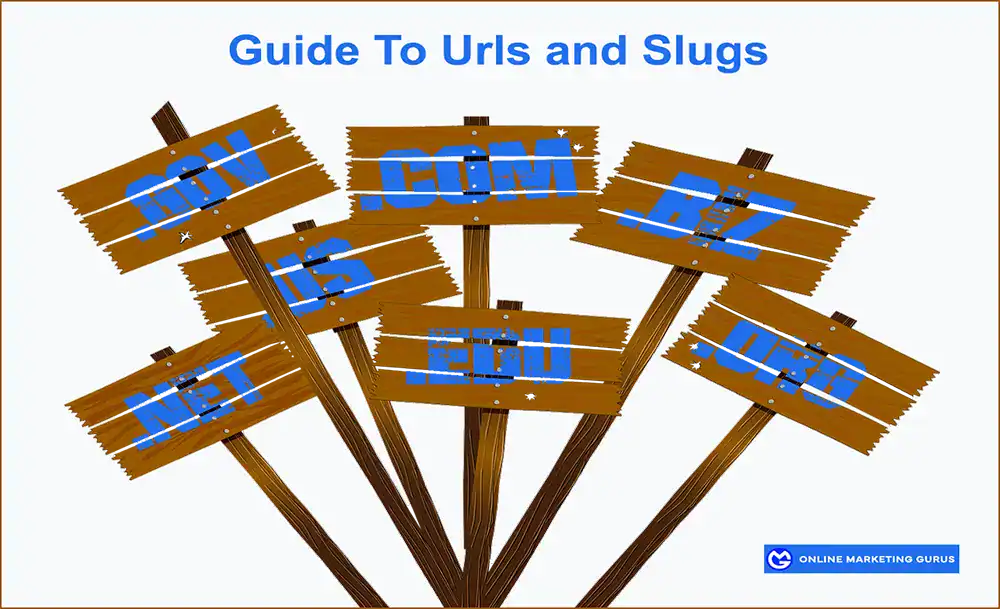
URLs and Slugs: Learn the Anatomy of Web Addresses and How to Craft SEO-Friendly Slugs for Better Visibility
Many people get confused when it comes to URLs vs slugs. In the in depth guide will break everything down so you could create SEO-friendly slugs that will help with your search rankings and placement.
What does “URL” Mean?
A URL, which stands for Uniform Resource Locator, is essentially the web address you type into a browser to visit a specific website or page on the internet. You can think of it like the street address of a building. Just like you need a specific address to find a house in your neighbourhood, you need a URL to find a specific page on the internet.
What is a URL?
A URL is a string of characters that provides the necessary information for a web browser to retrieve a specific resource on the internet. It’s the way your computer or phone knows where to go when you enter an address to find something online. Without URLs, it would be nearly impossible to navigate the internet, as each webpage or online resource would not have a clear, unique identifier.
What are the parts that make up a url?
A typical URL is made up of several parts, each serving a different function:
- It begins with http:// or https://, which stands for Hypertext Transfer Protocol. This is the set of rules that determines how data is transferred over the internet. The ‘s’ in https:// stands for secure, meaning that the website uses encryption to protect the information you send or receive from it.
- Next, you’ll find the domain name in the URL, which is the main address of the website. For example, in the URL “https://www.example.com”, “example.com” is the domain name. It is the part of the URL that identifies the website you’re trying to visit. Every website has a unique domain name, just like every building in a city has a unique street address.
- After the domain name, a URL can sometimes include a path. The path is what tells the browser exactly which page or section of the website you want to visit. This part of the URL usually follows a forward slash (/), like in “https://www.example.com/blog”. Here, the “blog” part refers to a specific section or page on the website.
- In some cases, a URL might also include a query string. A string is a series of parameters that are used to send specific information to a website, such as search terms or product details. This part of the URL typically starts with a question mark (?). For example, a search query URL might look like “https://www.example.com/search?query=cat”. The part after the question mark is telling the website what you’re searching for.
Overall, a URL is like a digital address that allows you to access a particular webpage or resource on the internet. It is a fundamental part of how we navigate the web, and understanding its components can help you better understand how websites are structured and how information flows on the internet. Without URLs, accessing specific websites would be almost impossible, and we would be left with a chaotic and unorganized web.
What are the 5 types of URL?
The 5 types of urls are:
1. Absolute URLs:
An absolute URL is a full web address that includes everything needed to find a page — from the type of connection (http or https) to the domain name and the full path to the page. It’s like giving someone the complete address to a house, with the street, suburb, and postcode.
Example of an absolute URL: https://www.example.com/blog/how-to-make-a-website
This URL tells the browser exactly where to go, no matter where you are on the site. It’s helpful when linking to pages from one website to another, or from an email or social media post.
2. Relative URLs:
A relative URL is like giving someone directions from where they already are. It doesn’t include the full domain name because it assumes the person is already on the same site. It’s shorter and is mainly used within a website to connect one page to another.
Example of a relative URL: /blog/how-to-make-a-website
This works perfectly when you’re already on the www.example.com site. The browser just adds this path to the main domain and takes you to the right place. Relative URLs make websites easier to manage, especially when updating links or moving the site to a different domain.
3. Static URLs:
A static URL is a web address that doesn’t change. It usually links to a specific page that stays the same unless someone manually edits it. Static URLs often include simple, clear slugs, which are better for SEO and easier for people to remember.
Example: https://www.example.com/about-us
This kind of URL doesn’t have any weird numbers or question marks — just clean, readable text. It tells you exactly what the page is about and helps search engines understand the content too.
4. Dynamic URLs:
A dynamic URL is a little more complicated. It usually changes based on something happening on the website, like a search or a filter. These URLs often include symbols like question marks (?) and equal signs (=), which can look messy and be harder for users to remember.
Example: https://www.example.com/products?category=shoes&color=black
These URLs are created “on the fly” when the site pulls information from a database. They’re common on big eCommerce sites, but they can be tricky for SEO unless they’re rewritten to look cleaner.
5. Canonical URLs:
A canonical URL is a way for website owners to tell search engines which version of a page is the “main” one. Sometimes, the same content might show up at multiple URLs, like pagination pages or if a product page can be filtered or sorted different ways. In such cases, search engines might get confused. A canonical URL helps avoid duplicate content problems.
Examples: Even if this page exists as:
- https://www.example.com/product/blue-shoes
- https://www.example.com/product/blue-shoes?ref=ad
- https://example.com/shop?item=12345
All the different versions of the slug can all point back to the same main page using a canonical URL like: https://www.example.com/product/blue-shoes
Which URL Types Are Best for SEO?
Search engines like URLs that are clear, simple, and easy to understand. That means static and clean slugs using only regular characters (like letters, numbers, and hyphens) are the best. Absolute URLs are good for linking across different domains, while relative URLs are fine for internal links. Dynamic URLs can still rank well, but they’re better when rewritten into a more user-friendly format. And canonical URLs are super important when you want to avoid getting penalised for having duplicate content across your site.
Even though URLs might seem boring at first, they’re actually a big deal when it comes to how websites optimisation, work and how people — and search engines — find your content. Whether you’re building your own website or just want to understand how the web works, knowing the difference between things like absolute and relative URLs, static and dynamic pages, and what a slug does can make a huge difference.
Let me know if you’d like a visual or chart to go with it!
What Does HTTP Mean?
HTTP stands for Hypertext Transfer Protocol, and it is a set of rules or protocols that define how information is transferred over the internet. Specifically, HTTP is the protocol used for transferring data between your web browser and a website’s server. It’s what allows your browser to retrieve information, such as text, images, and videos, from the website so you can view it on your screen.
The “Hypertext” part of HTTP refers to the way text is formatted on the web. Hypertext allows you to click on links that take you from one page to another. For example, when you click on a link to another webpage, your browser is using HTTP to request that webpage from the server. “Transfer” means that the information is being sent or transferred between computers or devices, and “Protocol” is simply the set of rules or standards that the data follows.
When you type a website address (URL) into your browser and press Enter, your browser sends an HTTP request to the server where the website is hosted. The server then processes the request and sends back the information your browser needs to display the website.
HTTP vs HTTPS
You might have noticed that some websites use HTTPS instead of HTTP. The “S” stands for Secure and indicates that the connection between your browser and the website is encrypted. This means that any data you send, like personal information or online payment details, is protected from being intercepted by third parties.
HTTPS is commonly used on websites that involve sensitive transactions, such as Ecommerce online shopping stores and websites or banking websites. It’s a way to ensure that your information is kept safe while being transferred between your browser and the website.
In summary, HTTP is the basic protocol that allows web browsers to communicate with websites, enabling you to access and view information online. It’s a crucial part of how the internet functions, ensuring smooth and reliable access to content across the web.
What Does “WWW” Mean?
“WWW” stands for World Wide Web, and it’s a system of interlinked documents and resources that are accessible through the internet. When you see “www” at the beginning of website addresses (URL), like “www.example.com,” it indicates that websites are part of the World Wide Web, which is just one component of the internet.
The World Wide Web is often confused with the internet itself, but they are not exactly the same. The internet is the global network that connects computers and allows them to communicate, while the World Wide Web is a system built on top of the internet, consisting of websites, web pages, and web applications that you access using a browser.
What Role Does WWW Play?
In a website address, “www” is actually part of the domain name system (DNS) used to locate and identify websites. Historically, “www” was used to specify that the website was part of the web and not another type of service like FTP (File Transfer Protocol) or mail servers. It helps point to the server that hosts the website’s content, but today, the “www” is more of a legacy or convention than a strict technical requirement.
It’s also worth noting that “www” is optional. Many modern websites can be accessed without the “www” in the URL, meaning “example.com” would work just as well as “www.example.com.” For example, the website for Google can be visited using both www.google.com and google.com.
Why Do We Still See WWW?
While “www” isn’t technically necessary for most websites today, it’s still commonly included for tradition and consistency. Many websites use “www” because it’s the way the internet began, and it helps people recognize that the address leads to a website. However, some websites prefer to use just the domain name (without “www”) for simplicity and cleaner URLs.
In summary, “WWW” stands for World Wide Web and is part of a web address that points to a website. While it’s not always required, it’s used as a standard and tradition in many URLs. Today, the WWW is simply a marker that helps identify the website and its location on the vast World Wide Web.
What is a Slug?
A slug is the part of the URL that comes after the domain name and describes the specific page or content. It is essentially the “name” of a webpage and is meant to be short, descriptive, and readable.
In the URL example:
- https://www.example.com/blog/how-to-make-a-website
- The slug is “how-to-make-a-website”. It tells users and search engines what the page is about, and it’s typically a simplified version of the title of the page or post.
In Summary: URLs vs Slugs:
- A URL is the complete web address used to locate a page on the internet.
- A slug is just the part of the URL that identifies a specific page or piece of content, typically after the domain name and directory.
While the slug is a key component of the URL, the two terms aren’t interchangeable. The URL includes the full web address, while the slug is just a small but crucial part of that address.
A slug in the context of websites and URLs refers to the part of the web address (URL) that comes after the domain name and is used to identify a specific page or piece of content on the website. It’s essentially the “name” of a page or post that’s used in the URL. For example, in the URL “https://www.example.com/blog/how-to-make-a-website”, the slug is “how-to-make-a-website”.
The slug is important because it helps both users and search engines understand what the content of the page is about. It is typically created based on the title of the page or post, but it’s often simplified and written in a way that is easier to read and remember. A well-crafted slug can also improve the SEO (Search Engine Optimization) of a page, making it easier for people to find in search engines.
So don’t think of it in competing terms because it is not a questions URLs vs slugs. They each play an important part and each will bring their own sets of benefits to the table.
Is a url the same a slug?
No, as explained above, a URL (Uniform Resource Locator) and a slug are not the same, although they are closely related. Let’s break down the difference:
Why are slugs important?
Slugs are used to describe the content of in web pages in a concise and readable way. They play a key role in making URLs more understandable to both users and search engines. For instance, a descriptive slug like “how-to-make-a-website” gives a clear idea of what the page is about. A good slug is typically short, contains relevant keywords, and avoids unnecessary words or symbols.
Search engines use slugs as one of the many signals to determine what a page is about. Including relevant keywords in your slug can help your page rank higher in search engine results for those terms. For example, if your slug is “best-online-marketing-strategies”, it’s more likely to show up in search engine result Pages, or SERPs, for queries related to online marketing strategies.
Creating “SEO Friendly” Slugs:
Another key consideration is making sure your slug is “SEO-friendly”. Including relevant keywords in the slug can help search engines understand the topic of the page. If you are writing about “SEO for small businesses,” using a slug like “seo-for-small-businesses” can help improve the chances of your page ranking higher for those keywords. It’s important, however, to avoid keyword stuffing, which is the overuse of keywords in an unnatural way. The slug should still make sense and be easy to read.
5 Tips for creating SEO friendly slugs:
1. Use Hyphens to Separate Words
When creating a slug, always use hyphens (-) to separate words instead of underscores (_) or spaces. Search engines, like Google, treat hyphens as word separators, which makes it easier for them to understand the meaning of the words in the slug. For example, “how-to-build-a-website” is more SEO-friendly than “how_to_build_a_website” or “how to build a website.”
2. Make It Descriptive and Relevant
A good slug should give users a clear idea of what they can expect from the page. Descriptive slugs are easier for users to understand, and they also provide search engines with a better understanding of the page’s content. Keep in mind that slugs are often visible in search engine results, so a good slug can entice users to click through to your page.
For example, if you’re creating a page about “how to set up a WordPress blog,” a slug like “setup-wordpress-blog” is much more effective than something generic like “page1” or “article123.” It’s clear, concise, and directly reflects the topic of the page.
3. Avoid Special Characters
Special characters, such as &, %, $, or commas, should generally be avoided in your slugs. They can make URLs look messy and harder to read. Some special characters may also cause issues with the URL encoding process, making your link less reliable or functional. Stick with letters, numbers, and hyphens to keep your slug clean and professional.
4. Keep It Consistent
Consistency is key when creating slugs across your entire website. Try to establish a uniform structure and naming convention for slugs to maintain organization and clarity. For example, if your website uses a hyphenated structure for blog post slugs (like “how-to-make-a-website”), try to apply the same format to all other URLs on your site.
Consistency helps users know what to expect from your URLs, making navigation easier, and it also ensures that search engines can properly index and rank your content.
5. Make It Readable and User-Friendly
Finally, the most important aspect of a slug is that it should be easy to read. If users can easily glance at your URL and understand the content of the page, they’re more likely to click through. A readable slug is also more likely to be shared and linked to by others, helping to increase your page’s visibility. Avoid using long strings of random letters and numbers, which can confuse users and reduce the trustworthiness of your site.
In conclusion:
Crafting a good URL slug requires a balance between clarity, simplicity, and SEO optimization. By keeping your slugs concise, relevant, and easy to read, you not only improve your website’s SEO but also enhance the overall user experience. A well-designed URL can make your website more accessible, more attractive to search engines, and ultimately more successful in driving traffic and conversions.
What does ASCII characters mean for urls / slugs?
ASCII characters in the context of URLs vs slugs refer to the basic set of characters used in computer systems to represent text. ASCII stands for American Standard Code for Information Interchange, and it includes a range of characters that can be used in a URL or slug. These characters are limited to letters (A-Z, a-z), digits (0-9), and certain punctuation marks (like hyphens, periods, and underscores), among others.
When it comes to URLs and slugs, ASCII characters are the safest to use because they are universally supported by browsers and web servers. They are also recognized by search engines, ensuring that your URL functions properly and is displayed correctly.
ASCII characters include:
- Letters: A-Z, a-z
- Numbers: 0-9
- Special Characters: Hyphen (-), period (.), underscore (_), tilde (~), etc.
These are the characters that are most commonly used in URLs and slugs because they’re supported across all web systems.
Non-ASCII Characters:
Characters outside of the ASCII set, like accented letters (é, à) or symbols from other languages, are not typically supported in URLs. For example, characters like the Arabic script, Chinese characters, or any special symbols outside the standard ASCII range can create issues in web addresses.
These non-ASCII characters often need to be encoded for URLs to be processed correctly. For instance, spaces are not allowed in URLs, so they are often replaced with a %20 in the URL encoding process.
Why Use ASCII for URLs and Slugs?
- Compatibility: URLs and slugs containing ASCII characters are supported universally by all browsers, operating systems, and web servers.
- Search Engine Optimization (SEO): ASCII characters are easier for search engines to crawl and index, improving your chances of ranking well in search results.
- User Experience: URLs with ASCII characters are more user-friendly and easier to read. For example, a slug like “how-to-create-a-website” is far easier to understand than one containing non-standard characters.
Encoding Non-ASCII Characters:
If you need to use characters outside the ASCII set (such as in non-English languages or symbols), it’s best to encode them. URL encoding converts non-ASCII characters into a format that can be safely included in a URL, ensuring proper functionality.
Example of Encoding:
For example, the word “café” in a slug would need to be URL-encoded as “caf%C3%A9” to ensure compatibility.
Conclusion: In summary, when creating URLs or slugs, it’s best to stick to ASCII characters to avoid issues with compatibility, search engine visibility, and user readability. Non-ASCII characters can often cause problems or need to be encoded, which may lead to unnecessary complications. By using simple, clean, ASCII-friendly slugs, you’ll ensure that your website is accessible, SEO-friendly, and easy to navigate.
How to Create a “Good” Slug?
Creating a good slug is an important part of building a website that’s user-friendly and optimized for search engines. The slug, which is the portion of the URL that identifies a specific page or post, plays a significant role in both the website’s usability and its SEO performance. A well-constructed slug can help users understand what a page is about at a glance, while also helping search engines recognize the relevance of the content.
To create a good slug, start by making sure it’s descriptive and concise. A slug should briefly explain what the page is about without being overly long or complicated. For example, if you’re writing a blog post about building a responsive website, a slug like “building-responsive-websites” is much better than something long and vague like “my-awesome-guide-to-building-a-website-for-mobile-users-and-desktop”. The shorter and more to-the-point, the easier it will be for both users and search engines to understand.
A good slug should also be easy to read. This means using hyphens between words, rather than underscores or spaces, to make the slug clearer and more readable. For example, “how-to-make-a-website” is easier to read and understand than “how_to_make_a_website”. This simplicity also makes it more user-friendly, as people are more likely to remember a clean, easy-to-read URL.
Finally, remember that slugs should be static and not change once a page is live. Changing slugs can lead to broken links and a poor user experience, especially if the page has already been indexed by search engines. Keeping slugs consistent helps maintain a steady flow of traffic to the page and ensures that it’s properly indexed and accessible.
In summary, creating a good slug is about balancing clarity, brevity, and SEO. A well-crafted slug should be easy to understand, use relevant keywords, and avoid unnecessary words or characters. With a little thought and attention to detail, a good slug can help improve both the user experience and search engine performance of your website.
“Stop Words” And Slugs
Stop are words such as “and,” “the,” “of,” “for,” “a,” and “in”. They are usually not necessary in slugs. While they can be useful in sentence structure, they don’t add much value for SEO and can make your URL longer and more difficult to read. For example, a slug like “how-to-improve-your-seo-rankings” can be shortened to “improve-seo-rankings” by removing the words “how to” and “your.”
There are exceptions, of course—if a stop word is essential for clarity, you can keep it. But as a general rule, try to omit them where possible.
4 Examples of Good Slugs vs. Bad Slugs
When creating slugs for your website, and pages, it’s important to make sure they’re clear, concise and SEO-friendly. Below are examples of both good and bad slugs, along with explanations of why one works better than the other.
Example 1: Blog Post on SEO for Small Businesses
- Good Slug: seo-for-small-businesses
- Why it’s good: This slug is simple, to the point, and directly describes the content of the page. It includes relevant keywords (“SEO” and “small businesses”) that people might search for, making it easier for search engines to understand the page’s topic. It’s also easy to read and remember, helping users quickly understand what the page is about.
- Bad Slug: how-to-improve-your-seo-rankings-for-small-businesses-quickly-2022
- Why it’s bad: While it contains keywords, this slug is too long and overcomplicated. The unnecessary words like “quickly” and “2022” clutter the URL, making it harder for both users and search engines to read. Also, such detailed slugs aren’t likely to add much extra value for ranking purposes, as search engines focus on the most important terms.
Example 2: Blog Post on Healthy Eating Tips
- Good Slug: healthy-eating-tips
- Why it’s good: It’s short, clear, and directly reflects the topic of the page. The words are easily readable and memorable, and it includes the primary keyword, “healthy eating.” This helps both users and search engines quickly grasp the content of the page.
- Bad Slug: how-to-eat-healthier-this-year-and-feel-great
- Why it’s bad: This slug is too long, making it difficult for users to read or remember. It includes stop words like “this,” “and,” and “feel,” which do not add value for SEO or usability. Additionally, words like “this year” aren’t likely to be relevant long-term and could confuse users or lead to broken links if you update the content in the future.
Example 3: Landing Page for an E-commerce Store Selling Shoes
- Good Slug: mens-leather-boots
- Why it’s good: This is a clear and concise description of the product. The words are relevant to the product being sold, making it easy for search engines and users to identify what’s being offered. It also includes important keywords like “men’s” and “leather boots,” which are likely search terms for someone looking for that specific product.
- Bad Slug: best-shoes-for-cold-weather-men-leather-boots-sale-discounted-now
- Why it’s bad: While the slug contains some good keywords, it’s too long and filled with unnecessary words like “best,” “sale,” and “discounted now.” These words don’t add value to search engines or users and make the URL unnecessarily long. Additionally, this type of promotional language like “sales” can quickly become outdated and isn’t sustainable for long-term SEO.
Example 4: FAQ Page for a Tech Websites
- Good Slug: faq-about-website-design
- Why it’s good: This is a clear and to-the-point slug that tells the user exactly what to expect. It includes the keyword “website design,” which is relevant to the content, and it’s simple and easy to remember.
- Bad Slug: all-the-things-you-need-to-know-about-designing-websites-faqs
- Why it’s bad: This slug is overly wordy and complicated. While it contains relevant keywords like “designing websites,” it’s cluttered with unnecessary phrases like “all the things you need to know” and “faqs,” which don’t add value to the user or search engines. It also makes the URL too long and harder for users to share or remember.
Key Takeaways
- Brevity and Clarity: Good slugs are concise and clear. They get straight to the point, describing the content of the page in a few simple words.
- Relevant Keywords: Including keywords that accurately describe the page’s content helps with search engine optimization. Avoid unnecessary words or details that don’t add much value.
- Avoid Stop Words: Words like “a,” “the,” “and,” or “for” are often unnecessary in slugs. They don’t add value for SEO and can make the URL longer and harder to read.
- Future-Proofing: Try to avoid including time-sensitive terms like “2022” or “this year,” unless it’s essential. URLs with these kinds of phrases may become outdated quickly.
By creating short, clear, and relevant slugs, you not only make your website more user-friendly and but also improve your chances of ranking higher in search engine results.
Need help?
Now that you understand the core differences of urls vs slugs, its is time to put that knowledge into good use! But as you probably know, ranking in search engines is not a question of doing one thing or even two. It is a combination of many aspects that, when applied correctly, will yield true results. That is why many will turn to experts and in Australia, OMG is by far you best and one of the top choices.
There is a reason why Online Marketing Gurus is considered the best in Australia for online digital marketing. That is mostly due to our research and deep understand of how search engines such as Google and Bing work. We spend hours upon hours investing the “whys” of Search Engine Optimisation / SEO and keeping up with how they change and evolve. We then take this knowledge and apply to the many different SEO services that we provide. We also have a full sweet pay per click / PPC management services to get you faster results as you wait for your SEO to start kicking in and your site to start ranking.
Thus we ensure that your website not only looks great but drives effective traffic that will lead to real positive financial gains.

About the author
Read More Blogs
-


Last updated on:
-
Last updated on:
-
Last updated on:


Stop Guessing What Your Marketing Should Do Next.
Your free $4,000 strategy session shows where your digital marketing is leaking performance across search, paid media, content and conversion. You leave knowing what to fix first and what a stronger strategy could produce.