











 1300 433 071




When a website consistently performs well on Google, there’s more than one reason for it. Content quality, backlinks and user experience all play a role. But behind all of that lies something that determines whether your site can even compete: technical SEO.
Key Takeaways
-
Technical SEO determines whether your site can rank at all, regardless of content quality or backlinks.
-
Poor crawlability and indexation silently restrict visibility by preventing important pages from being discovered and indexed.
-
Site speed and Core Web Vitals directly influence rankings, engagement and conversion performance.
-
Mobile user friendliness is critical because Google evaluates and ranks sites using mobile-first indexing.
-
The impact of a technical SEO audit comes from prioritising high-value fixes, not addressing every issue at once.
-
Modern technical SEO must support both traditional search engines and AI-driven discovery systems.
A detailed SEO audit checklist uncovers what’s holding your website back. This guide walks you through everything you need to know to run a complete technical audit, combining insights, data and proven methods.
TL;DR: your complete technical SEO audit checklist
| Audit area | Key actions | Why it matters |
| 1. Crawlability & indexation | Review robots.txt and XML sitemap, fix crawl errors, optimise crawl budget | Ensures search engines can access and index all key pages |
| 2. Site structure & architecture | Maintain logical hierarchy, optimise URLs, improve internal linking, use canonicals | Helps both users and crawlers navigate efficiently |
| 3. Website performance | Test Core Web Vitals, optimise images and scripts, use a CDN | Boosts speed, engagement and conversions |
| 4. Mobile-friendliness | Run Mobile-Friendly Test, fix layout and usability issues | Essential for mobile-first indexing and user experience |
| 5. HTTPS & security | Validate SSL, fix mixed content, set security headers | Builds user trust and prevents visibility loss |
| 6. On-page technical elements | Optimise header tags, schema markup and canonical tags | Strengthens search relevance and prevents duplication |
| 7. Core Web Vitals & UX signals | Improve LCP (<2.5s), INP (<200ms) and CLS (<0.1) | Direct ranking and usability factors |
| 8. Log file analysis | Track crawl frequency, detect orphaned or slow URLs, analyse bot behaviour | Reveals crawl efficiency and indexing priorities |
| 9. Link health | Fix broken links, assess anchor text, disavow spammy backlinks | Maintains authority flow and prevents penalties |
| 10. Advanced technical elements | Implement hreflang, test structured data, fix JavaScript rendering issues | Supports global visibility and structured SERP features |
What is a technical SEO audit?
A technical SEO audit is a comprehensive health check for your website. It identifies and fixes issues that prevent search engines like Google from crawling and indexing your site efficiently. The process involves reviewing elements such as site structure, speed, mobile usability and security and many more.
Think of it as the foundation beneath all your SEO efforts. Without a healthy technical setup, even the strongest keyword strategy or content plan will fall short.

Why do you need a technical SEO audit?
Google’s algorithm continues to prioritise user experience and site health as ranking factors. In other words, a fast, secure and well-structured website directly impacts how well you perform in SERPs.
A technical SEO audit delivers the following key benefits:
- Improved crawlability: Search engines can discover and understand your content more efficiently.
- Faster load speeds: A quicker site means better engagement and conversions, especially important when mobile users make up the majority of organic visits.
- Higher ROI on marketing spend: Every dollar spent on SEO or paid media performs better when the technical foundation is solid.
Preparing for a technical SEO audit
Before diving in, ensure you have access to the right tools and data sources. Preparation determines how accurate and efficient your audit will be.
1. Gather these essentials.
- Access to Google Analytics and Google Search Console.
- A recent sitemap and robots.txt file.
- Site crawling tools, e.g. Screaming Frog, Semrush or Ahrefs.
- A speed-testing tool, e.g. PageSpeed Insights or GTmetrix.
- A spreadsheet or project tracker to record findings and prioritise fixes.
Running a technical audit without this data is like figuring out what’s wrong with your car without a diagnostic scanner. You’ll likely miss what’s really happening under the hood.
For larger websites, it’s essential to establish benchmarks for key metrics, like Core Web Vitals, average crawl depth and internal link count. This allows you to compare progress over time and track improvements.
2. Define your audit’s scope.
The scope of your audit should always reflect your business priorities and website structure. For example, large e-commerce sites might concentrate on category and product templates, while service-based businesses could focus on lead-generation landing pages or high-traffic blog content.
Reviewing everything at once can be overwhelming and unnecessary. Targeted auditing helps identify where technical improvements will have the greatest SEO and commercial impact.
For many businesses, partnering with a SEO agency makes sense at this stage. OMG has audited thousands of websites, from lean local startups to enterprise-level B2B brands, and that experience gives us a clear view of the recurring technical pitfalls across sectors.
The ultimate technical SEO audit checklist (step-by-step)
1. Crawlability and indexation
A clean crawl path improves indexation rates and helps Google understand your content hierarchy. To assess this:
- Begin by reviewing your robots.txt file to make sure no valuable URLs are being blocked.
- Check your XML sitemap to verify it’s up-to-date, clean, and submitted in Google Search Console.
- Look for crawl errors in the Coverage report: 404s, redirect loops and blocked pages can waste your crawl budget. Fixing these will ensure every important page is reachable.
- Use tools to simulate how search engines navigate your site.
- Compare the list of discovered URLs with those indexed by Google. If there’s a mismatch, you’ve likely got crawl or canonicalisation issues.
For larger sites, review crawl budget optimisation. Prioritise high-value URLs and remove low-quality or duplicate ones from indexing. This is particularly relevant for e-commerce sites with dynamic filters and thousands of product pages.
2. Site structure and architecture
A logical site structure benefits both users and crawlers. A good rule of thumb is that every page should be accessible within three clicks from the homepage.
- Audit your URL hierarchy to make sure it follows a consistent, descriptive pattern. Avoid deep folder structures or unnecessary parameters.
- Check for internal linking opportunities. Each page should receive and pass link equity appropriately. See if you can add breadcrumb navigation to help users and search engines understand page relationships.
- Ensure your site utilises canonical tags correctly to prevent duplicate content issues.
3. Website performance
Speed is one of the most measurable and impactful technical SEO factors. Research from Cloudflare shows that load times of around 2.4 seconds see significantly stronger conversions compared to slower pages.
- Start by testing your site using reliable tools. Look at metrics like Largest Contentful Paint (LCP), Total Blocking Time (TBT) and Cumulative Layout Shift (CLS). These reflect how quickly and smoothly users experience your site.
- Practical fixes include compressing large images, leveraging browser caching and removing render-blocking scripts. If you’re using a CMS like WordPress, audit plugins because too many can slow your site.
- For Australian websites, hosting location also matters. A local or regionally distributed CDN can reduce latency for users. Multinational businesses should extend this setup for overseas markets and align with international SEO strategies.
- For a full performance overhaul, review server response time and uptime reports. Remember that even a few seconds of downtime can affect rankings, especially if it happens during peak crawl periods.
4. Mobile-friendliness
Mobile optimisation is Google’s default standard. Since the rollout of mobile-first indexing, search engines primarily evaluate the mobile version of your site to determine rankings.

- Use Google Lighthouse to identify design or usability issues. Look for overlapping elements, small tap targets and content that doesn’t scale correctly.
- A good mobile experience also means fast-loading media, accessible fonts and smooth navigation. Sites that ignore mobile optimisation risk higher bounce rates and lower conversions.
- When auditing mobile usability, test on multiple devices, not just your own. What loads seamlessly on an iPhone might glitch on an older Android model.
- If you determine that your pages aren’t mobile-friendly at all, (think tiny text, overlapping buttons or broken layouts) prioritise a website redesign to drive conversions before tackling anything else.
5. HTTPS and security
Security is both a ranking factor and a trust signal, and Google explicitly prioritises secure sites using HTTPS. If your site still runs on HTTP, migration should be an immediate priority.
- Check that your SSL certificate is valid, properly installed and covers all versions of your site (www and non-www). Mixed content, where secure pages load non-secure assets like scripts or images, can trigger browser warnings and reduce user trust.
- In your audit, confirm that all redirects from HTTP to HTTPS are functioning correctly and that no insecure resources remain. Tools like SSL Labs’ Server Test can flag weaknesses in your setup.
- Also review security headers, such as Content-Security-Policy and Strict-Transport-Security, which help protect your site from cross-site scripting (XSS) and clickjacking attacks.
6. On-page technical elements
While much of technical SEO is behind the scenes, it also covers several on-page components that influence how search engines interpret and rank your content.
- Start with meta titles and meta descriptions. They should be unique, keyword-optimised and within Google’s display limits. Meta titles that are too long or too short can reduce click-through rates (CTRs). Use resources like Snippet Optimisers to examine your metadata.
- Check your header tag hierarchy (H1, H2s, H3s). Each page should have one clear H1 that defines the main topic, followed by logically structured subheadings.
- Implement schema markup to help search engines understand your content type, whether it’s a product, article or FAQ. Structured data can also increase your chances of earning rich snippets in search results.
- Audit for canonical tags to avoid duplicate content issues. For instance, multiple URLs showing the same page (like /product and /product?ref=homepage) can confuse search engines and split ranking signals.
- Finally, review internal anchor text distribution. Avoid using the same keyword repeatedly across multiple links. Natural, descriptive anchors improve usability and SEO simultaneously.
For brands focusing on content-driven SEO, an effective content marketing agency blends technical optimisation with storytelling to enhance both visibility and engagement.
7. Core Web Vitals and UX signals
Google’s Core Web Vitals are central to modern technical SEO. They measure how fast, stable and responsive your site feels to users. Here are some key metrics to track.
- Largest Contentful Paint (LCP): This should occur within 2.5 seconds of page load. Optimise images, lazy-load assets, and minimise render-blocking scripts.
- Interaction to Next Paint (INP): Aim for an INP score of under 200 milliseconds for strong performance. High INP values typically indicate JavaScript bloat or inefficient rendering.
- Cumulative Layout Shift (CLS): Keep it below 0.1 by reserving space for images and ads to prevent layout jumps.
8. Log file analysis
Log file analysis allows you to see exactly how search engine bots interact with your site. By examining server logs, you can identify wasted crawl budget, orphaned pages or slow-loading URLs. This data helps prioritise efforts for pages that matter most.
- Start by segmenting your log data to distinguish between different bots: Googlebot, Bingbot and others. This reveals how often each search engine visits your site and which sections they prioritise.
- If important pages aren’t being crawled regularly, it’s a clear signal that your internal linking or sitemap needs improvement.
- Identify crawl frequency patterns. Consistent bot activity on key pages typically indicates a healthy site architecture, while erratic crawling may suggest server issues or poor internal linking.
- Tools like Screaming Frog’s Log File Analyser or Splunk can make this process manageable, even for large sites.
9. Link health and backlink profile
Your link ecosystem, both internal and external, shapes how authority flows through your site.
- Start by crawling your website to identify broken links, redirect chains and orphan pages (those without internal links pointing to them). Fixing these will improve navigation and helps distribute PageRank more efficiently.
- Review your external backlinks using Ahrefs or SEMrush. Identify and disavow toxic links that may come from spammy or irrelevant domains.
- Evaluate your anchor text distribution to keep it natural and relevant. Over-optimised anchors can look manipulative to search engines.
Organisations looking to invest in contextual backlinks for topical authority could consider engaging an SEO agency to handle outreach and link acquisition. These experts have the relationships, tools and strategy to secure links that move the needle.
10. Advanced technical elements
Once the fundamentals are in place, it’s time to tackle the advanced elements that separate a well-optimised site from a truly high-performing one.
- Start with hreflang implementation if your website targets multiple countries or languages. This tag signals to Google which version of a page to show based on a user’s region and language, preventing duplicate content issues and improving international visibility.
- Review your structured data using Google’s Rich Results Test. Proper schema markup allows your pages to appear with rich snippets, like FAQs, ratings and product information, which can increase click-through rates and organic traffic.
- Check for JavaScript rendering issues. While Google can render most JavaScript, heavy frameworks can delay content visibility. Use the “URL Inspection” tool in Search Console to verify what Google actually sees.
- Handle pagination and infinite scroll carefully. Make sure paginated content is crawlable with proper <link rel= “next”> and <link rel= “prev”> tags, or implement server-side rendering where possible.
For e-commerce stores, pay attention to how dynamic filters and parameters affect crawlability.
AI and technical SEO
AI has already changed how search engines process and interpret content. From predictive indexing to semantic understanding, algorithms are smarter than ever, and that means technical SEO must evolve alongside them.
The rise of Generative Engine Optimisation (GEO) is the next frontier. Instead of focusing purely on ranking within the classic ten blue links, GEO optimises your site for AI-driven search experiences such as Google AI Overviews, Perplexity and ChatGPT.
From a technical perspective, machine-readable content is now crucial. Well-structured data, precise metadata, fast-loading pages and clear topical relevance help LLMs understand your site. Even emerging protocols like llms.txt are being tested to signal content usage preferences for AI crawlers.
How often should you run an SEO audit?
For most medium to large websites, a full technical SEO audit every six months is ideal. Enterprise-level or e-commerce sites should consider quarterly audits to stay on top of frequent updates and new content. Smaller sites may get by with an annual review if their structure and content remain stable.
Routine audits help you stay ahead of algorithm changes and prevent performance decay. Every time your site undergoes a redesign, migration or new feature rollout, conduct a fresh audit to avoid technical regressions.
How to act on audit findings
You might be able to surface hundreds of technical data points, but not every finding carries the same weight. The key is prioritising what will deliver the strongest business impact.
Start by categorising issues into three tiers:
- Critical errors: These are problems that immediately affect crawling, indexing or site security, such as 5xx errors, robots.txt misconfigurations and missing HTTPS. These should be fixed first since they directly block visibility and can trigger ranking losses.
- High-impact opportunities: These are improvements that influence UX and ranking signals, like Core Web Vitals, structured data and internal linking. They don’t break your site, but can dramatically boost engagement and conversions once resolved.
- Low-impact refinements: These are minor adjustments, like meta tag cleanups, small accessibility tweaks or sitemap updates. They can strengthen long-term stability and crawl efficiency.
From there, weigh each issue based on three dimensions:
- Impact on traffic and conversions: Will fixing it noticeably improve visibility or UX?
- Implementation difficulty: How much time and development work does it require?
- Business relevance: Does it align with your core goals (e.g., ecommerce performance, local search visibility or lead generation)?
Prioritise issues that combine high impact with low effort. Then create a roadmap that sequences technical tasks logically, starting with foundational fixes before advanced tweaks.
Finally, don’t forget to document every change. Keep a versioned log of fixes, outcomes and dates. This helps diagnose performance fluctuations after algorithm updates or site changes.
Rather have the Gurus handle it?
Technical SEO might not be glamorous, but it’s the difference between a website that merely exists and one that dominates search results. A well-executed SEO audit checklist keeps your site fast, crawlable and competitive, everything Google rewards and users appreciate.
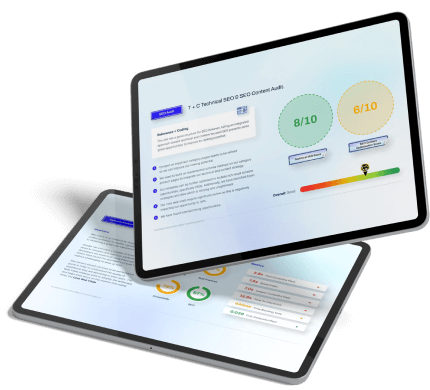
If you’re ready to uncover what’s holding your site back, our experts can help. OMG conducts detailed audits that turn data into growth strategies. No matter your industry, we’ll spot the roadblocks and position your site for sustained organic growth.
Contact us for a complimentary strategy session.

About the Author
Andrew Raso
Share