







 1300 433 071


- Home
-

- Blog
-
- News & Industry Updates
-
- AI To Ramp Up: OpenAI Declares Code Red & Google AI To Merge

AI To Ramp Up: OpenAI Declares Code Red & Google AI To Merge
AI went from helpful sidekick to slightly unhinged overachiever, and the big players are scrambling to keep control. Behind the polished product launches, there’s a tug-of-war for attention, ad dollars and influence that’s reshaping how people use the internet. Marketers are, as usual, caught in the crossfire.
Here are the most recent digital marketing updates from Online Marketing Gurus:
Key Takeaways
-
Google Search Console’s new AI configuration and natural language Performance views speed up SEO reporting, turning complex filters into quick snapshots of meaningful organic performance.
-
Google Search Console’s social integration update improves cross-channel attribution, giving marketers clearer insight into how social content influences organic performance.
-
Indexing report delays in Search Console are a reporting issue, not a crawling crisis, so lean on URL Inspection, logs and independent crawls for diagnosis.
-
Google Ads dynamic remarketing via GA4 plus new Google Analytics audience templates make it easier to target VIPs, re-engage lapsed buyers and scale profitably.
-
OpenAI’s code red, early ChatGPT ads and Google’s Gemini powered AI Overviews plus AI Mode show conversational search evolving into a serious performance channel.
-
Snapchat’s Wix integration, YouTube’s Expressive Captions and richer Instagram Insights help teams ship creator friendly campaigns faster and measure what really hooks Gen Z audiences.
-
New age and gender exclusions in PMax campaigns give advertisers a cleaner way to cut wasted spend, tighten targeting and align automation with buyer demographics.
Google Search Console adds AI-powered configuration
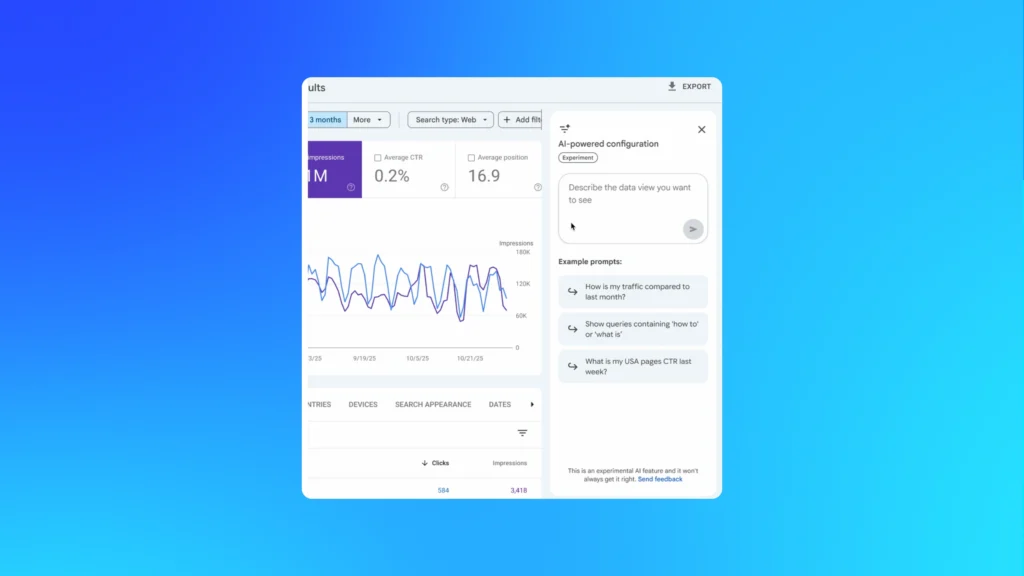
The new AI-powered configuration in Google Search Console lets you tell the Performance report what you want in plain English, instead of wrestling with filters and regex. Describe the view you need and it auto builds the configuration for you, translating prompts into metrics, filters and comparisons.
It currently works only for Search results data, so it’s squarely aimed at making organic reporting faster, not changing how data is collected. You can pull focused slices of organic traffic by device, country, URL or query in a couple of lines, although you still need standard tools for sorting, exporting and deeper analysis.
The gurus’ take
This is Google quietly admitting that most people do not use even half of what the Performance report can do. Natural language prompts lower the friction, which is handy for busy marketing teams who want answers fast without waiting on the “SEO person” to build every view. It makes decent SEOs faster and makes everyone else more dangerous in a good way.
Where it gets interesting is how you brief it. Remember: vague prompts give vague insights. Treat this like an assistant that speeds up set up, not a strategist. If you’re already rigorous with naming conventions, annotations and tagging, this should slot neatly into your SEO reporting workflow instead of encouraging lazy “vibe-checking” of data.
Your action plan
- Start with structured prompts, i.e “compare brand vs non brand queries on mobile for the last 28 days”.
- Save AI-generated configurations that you find useful and standardise them.
- Use it to spot-test hypotheses, then validate findings with manual filtering and exports.
- Build a recurring set of prompts for weekly organic traffic health checks.
- Document exact prompts used when reporting so results are reproducible and defendable.
Google Search Console Insights Adds Social Channel Integration
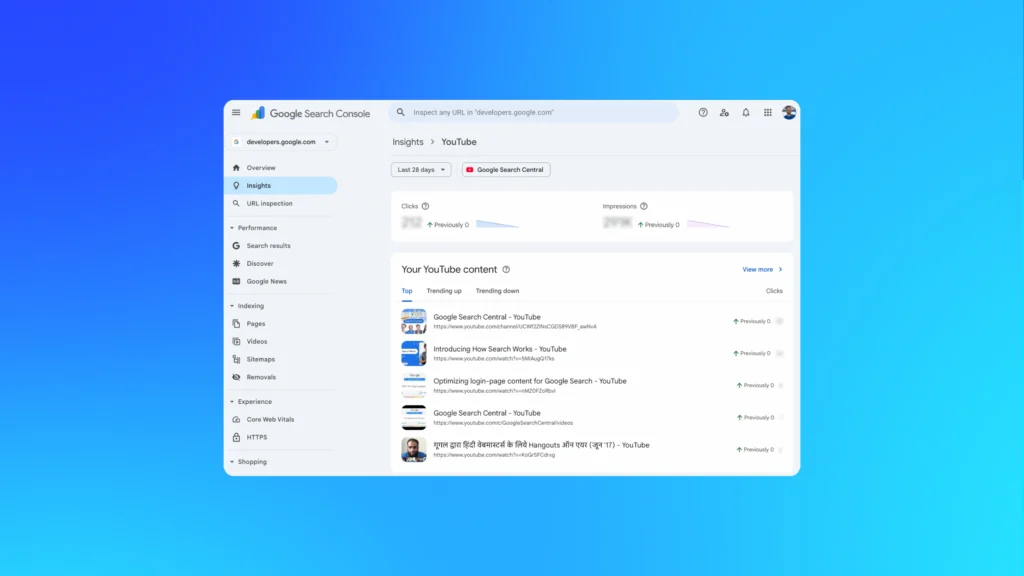
Google Search Console Insights is rolling out new integrations that allow creators and brands to see how social platforms contribute to on-site engagement. This update expands visibility into referral patterns from platforms like TikTok, Instagram and YouTube, offering a more connected view of how content travels across ecosystems.
It also comes on the heels of several rapid GSC updates, including the recently added Brand and Non-Brand Query Filters, which make search performance categorisation far easier.
The gurus’ take
This move strengthens Google’s ongoing push to unify content performance insights across channels. For marketers balancing SEO, social media advertising and content strategy, visibility into how social posts influence organic engagement is a major advantage. It narrows the gap between social visibility and search outcomes, helping teams understand which formats and conversations actually drive on-site interaction.
Combined with the rapid cadence of GSC updates, it’s clear that Google is retooling analytics for an AI-driven era where content performance is shaped by multiple surfaces, not just SERPs. We’re wondering when Google will allow businesses to view data of more than 18 months (hint hint), without the need for BigQuery.
Your action plan
- Review Search Console Insights regularly to understand which social platforms trigger meaningful site engagement.
- Prioritise cross-channel content experiments, especially repurposed TikTok, Instagram and YouTube assets, to see which influence organic visibility most.
- Align social and SEO calendars so high-performing social content is supported with corresponding search-optimised pages.
- Use the new brand vs non-brand filters to improve attribution clarity in reporting.
Google warns of delays in Search Console Page Indexing report but indexing unaffected
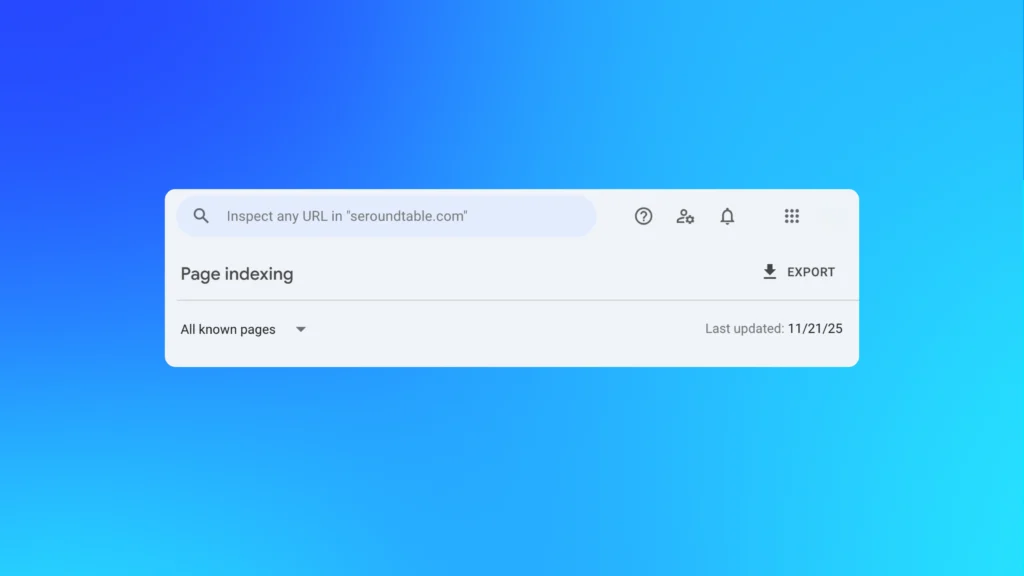
Google has confirmed longer than usual delays in the Page indexing report inside Search Console, with some properties stuck on data from mid-November. The issue has to do with the reporting pipeline rather than the live systems handling crawling and page indexing. In other words, the dashboard looks broken, but your site is still being processed.
For those who live and breathe technical SEO, this temporarily makes one of the core diagnostics less reliable for recent changes. Indexing status, coverage shifts and fixes can appear stale for days, which complicates troubleshooting and incident reviews. During the delay, the URL Inspection tool and server logs remain your best sources of truth on crawling and indexation.
The gurus’ take
This is a good reminder that Search Console is a reporting layer, not the source of crawling reality. When Page indexing data lags, it is tempting to panic or start “fixing” things that are not actually broken. Experienced teams separate reporting noise from genuine technical SEO problems before raising alarms.
Treat this as a resilience test for your measurement stack. If one report going dark stalls your decision-making, you are over reliant on it. Use the delay as a nudge to tighten log analysis, third-party crawling and annotations, so future incidents feel like an inconvenience rather than a crisis.
Your action plan
- Pause any dramatic site changes that are based solely on short term Page indexing report swings.
- Use URL Inspection for priority URLs to validate live crawling and indexing status.
- Cross-check suspected issues against server logs and your own crawls before escalating.
- Add notes to internal reporting that indexing charts are in a temporary “data lag” period.
Review your monitoring setup, so one delayed report cannot derail technical SEO decision-making.
Google Ads Dynamic Remarketing now supports Google Analytics e-commerce data
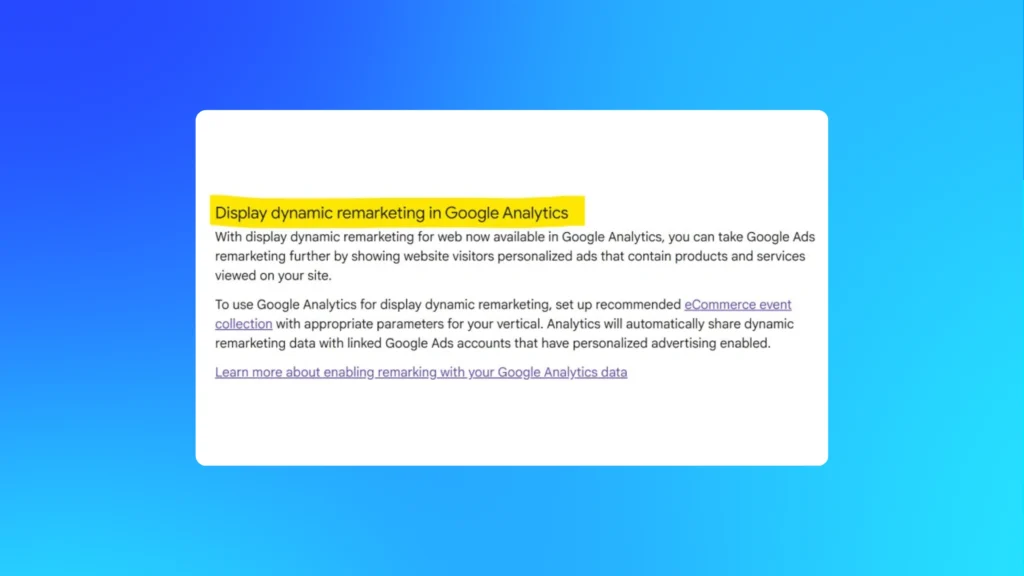
Google Ads just made dynamic remarketing that bit more accessible by letting you power it directly from Google Analytics e-commerce data. Instead of wiring up dynamic events via the Google Ads tag, you can use your existing GA4 e-commerce setup to feed product IDs and behaviour into tailored ad creatives.
Practically, if e-commerce tracking is working, your Google Ads and GA accounts are linked, personalised advertising is on and product IDs match, you can spin up campaigns that show users the exact products they were browsing. It is simpler to get started, although native Google Ads tag data still tends to process faster and capture more nuance.
The gurus’ take
This is classic Google: remove friction at the front so more advertisers play with powerful toys like dynamic remarketing. For e-commerce teams already neck deep in GA4, being able to reuse that tracking for ads is a big operational win. Fewer tags to maintain means fewer implementation bugs and more time spent on creative and bidding.
The catch is that “easy to switch on” often becomes “set and forget”. The highest performing accounts we see are picky about feeds, audience logic and exclusions, not just happy that a carousel appears. Treat GA powered setups as a shortcut into testing, then graduate to dedicated Google Ads tagging once the channel proves its worth. That is where you usually unlock the extra control and speed.
Your action plan
- Audit GA4 ecommerce tracking and product ID parity before touching campaigns.
- Link Google Analytics and Google Ads, activate personalised advertising and build remarketing audiences.
- Launch a small dynamic remarketing test using GA data, capped budgets and tight frequency.
- Run a split test against a Google Ads tag implementation on a high intent segment.
- Use results to decide whether GA powered remarketing stays as your default or as a backup data source.
OpenAI declares code red to improve ChatGPT while ads creep closer
Version 1.2025.329 of the ChatGPT Android beta includes references to “search ad” and “search ads carousel”, a clear sign that ad units are being wired into conversational search flows. OpenAI is experimenting with formats that sit beside answers, treating ChatGPT more like a commercial search surface than a novelty chat app.
At the same time, Sam Altman has declared a “code red” to sharpen ChatGPT’s core experience and prioritise speed, personalisation and broader question coverage while parking some ad products, AI agents and shopping tools. OpenAI is testing display ads but has no immediate plans to flood the interface, especially with Google’s Gemini 3 snapping at its heels.
The gurus’ take
What looks like mixed signals is actually a familiar playbook. Product teams are racing to defend share against Gemini while revenue teams quietly prototype monetisation. For marketers, that means conversational inventory is coming, but the pricing, targeting and formats will be unstable for a while. Early tests will feel messy and under documented.
Treat this moment like early SEO for a new search engine. Now is the time to understand how models decide what to surface, how to rank in ChatGPT and where future shopping tools might slot in. When mature display ads and sponsored placements finally land, the brands that already read the room will be miles ahead.
Your action plan
- Treat ChatGPT as a growing discovery and commerce surface.
- Map high-intent queries where you want presence, then build content optimised for conversational answers.
- Track experiments around search ads, carousels and shopping features so tests are ready.
- Ring fence budget for early conversational ad pilots once formats stabilise.
- Document learnings now, so future display ads and paid units slot cleanly into your broader media mix.
Google tests merging AI Mode with AI Overviews in Search
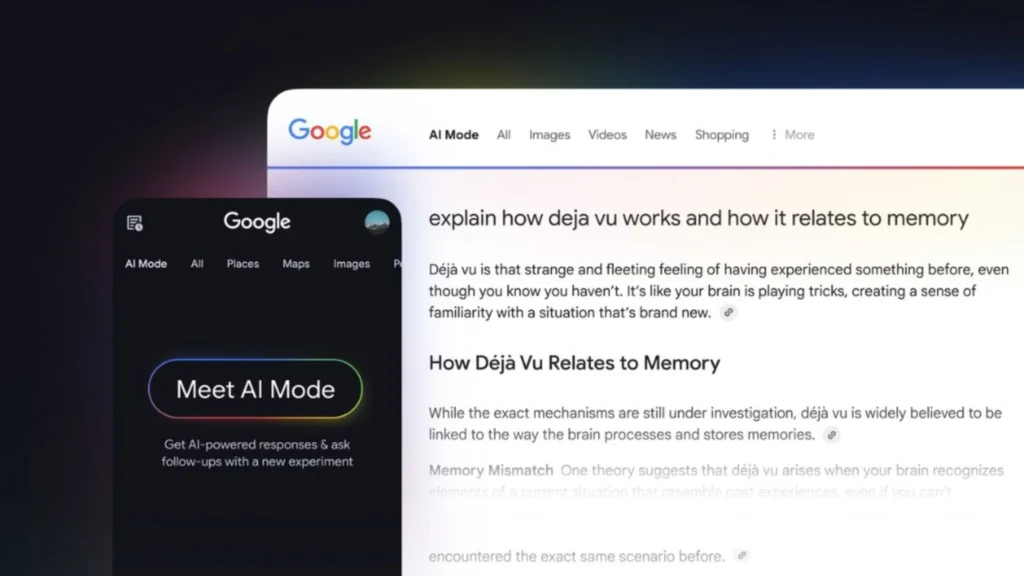
Google is testing a unified experience where AI Overviews lead straight into AI Mode on mobile. You get a summarised overview at the top of the SERP, then a “show more” style entry point into a Gemini powered chat so you can ask follow-up questions without leaving the results.
This experiment blurs the line between traditional search and conversational assistance. AI Overviews become the springboard, AI Mode becomes the journey. For brands, that means fewer “one-and-done” impressions and more multistep interactions that may never touch a blue link. It is the next big shift in generative engine optimisation.
The gurus’ take
We’ve already seen AIOs dent click through on some queries, especially where they crowd out classic organic results on mobile. Folding AI Mode into that same flow pushes users even deeper into Google’s own experience, which is great for convenience, but not so great for flaky content strategies.
Treat this less like a feature test and more like a preview of search’s future. The brands that win will not just chase “ranking” inside AIOs. They will build content that holds up across a whole conversation, with clear entities, strong sources and answers that stand out even when summarised.
Your action plan
- Audit key queries already triggering AI Overviews on mobile. Prioritise commercial and informational intent.
- Strengthen E-E-A-T signals, so your content is worth citing in long AI conversations.
- Structure pages around questions and follow-ups, not just keywords.
- Track organic traffic and engagement shifts as AI Mode rolls closer to default.
Gemini 3 and Nano Banana Pro AI models expand to nearly 120 countries
Google is rolling out its latest Google AI stack in a big way, with Gemini 3 Pro and Nano Banana Pro now powering AI Mode in Search across nearly 120 countries for English-speaking AI Pro and Ultra subscribers.
Gemini 3 Pro handles the reasoning side: complex queries, multimodal inputs and dynamic layouts that turn search results into interactive tools and simulations. Nano Banana Pro sits on the visual front, generating images, infographics and visual explainers straight from a query.
The gurus’ take
Google is quietly stitching together its answer to AI assistants that live outside the SERP. We are already seeing AI Mode responses that look more like mini dashboards than answers: charts, tables, image blocks and annotated summaries rolled into one. For content and performance teams, that changes what “visibility” looks like. It is not just about blue links and snippets anymore.
Nano Banana Pro’s generative images will also raise the bar for how educational and commercial content appears in search. If Google AI can generate crisp visuals on the fly, your owned assets need to be equally useful, not just pretty. The smartest brands will treat this as a prompt to level up content marketing across formats.
Your action plan
- Identify key queries where richer AI Mode responses already appear and benchmark how your brand shows up.
- Refresh cornerstone content with clearer structure, data and diagrams that can complement or be cited by AI responses.
- Experiment with your own generative images in ads, landing pages and social with Nano Banana Pro.
- Build reporting that tracks traffic, engagement and assisted conversions from AI enriched experiences.
Snapchat and Wix launch integration for easy ad campaigns by SMBs
Snapchat has teamed up with Wix so SMB e-commerce brands can build and launch Snap ad campaigns straight from the Wix dashboard. Product catalogues sync automatically, while Snap Pixel and CAPI plug in behind the scenes to capture performance data. For brands chasing Gen-Z and Millennials marketing wins in Q5 and beyond, this is a low-friction way to test shoppable formats as part of broader social media advertising.
The gurus’ take
This is good news if you’re running on tiny teams and tighter timelines. You get enterprise-style wiring without a weeks-long implementation sprint, which is exactly what many SMB e-commerce brands need to actually ship campaigns. In practice, though, the brands that win still treat this as a proper performance channel, not a “set-and-forget” toggle buried in the CMS.
The smartest play is to see this as a creative and data shortcut. You still need sharp audience thinking, testing discipline and a clear role for Snapchat in your funnel. When those pieces are in place, the integration becomes a multiplier rather than another shiny feature announcement.
Your action plan
- Connect your Wix store to Snapchat and sync product catalogues before peak periods.
- Install Snap Pixel and CAPI so optimisation and attribution are actually accurate.
- Start with 1–2 campaigns aimed at core Gen-Z and Millennial marketing segments.
- Rotate creative frequently to match platform culture, not just recycle generic feed assets.
- Compare CCP and lifetime value against other paid social channels, then scale what holds up.
YouTube launches Expressive Captions to add emotion and context

YouTube is rolling out Expressive Captions, an AI-powered upgrade that layers tone, volume and ambient sounds on top of standard subtitles. Viewers now see cues like “HAPPY BIRTHDAY”, “[sigh]” or “[applause]” that better reflect what is happening on screen.
It’s particularly useful for sound-off viewing and accessibility focused YouTube marketing. The feature runs on Android 14+ in the US, across apps and even offline, by building on Google’s Live Caption and DeepMind models.
The gurus’ take
This is one of those “accessibility” updates that quietly changes how content performs. When captions carry emotion, watch time and engagement usually follow, especially for Shorts, live streams and social style content. We’ve seen similar bumps whenever platforms make it easier to watch on mute on the train, couch or office.
For advertisers, it nudges YouTube a step closer to being fully sound-optional. If your YouTube advertising relies on a voiceover to do all the heavy lifting, you’re undercooking the opportunity. Treat captions, visuals and sound as a trio, knowing many viewers will only ever experience two of the three.
Your action plan
- Turn on and review auto captions for all key videos and campaigns.
- Write hooks and CTAs that still land when watched on mute, with Expressive Captions.
- Test Shorts and ads designed specifically for caption first viewing.
- Track completion rates and click-throughs before and after adopting more expressive, on-screen copy.
New Instagram API enhancements for insights, content management and collaboration

Instagram has rolled out new Instagram Insights metrics and tools across its Marketing API, with a clear tilt toward Reels and performance visibility. Brands and partners can now track Reels Skip Rate, repost counts at media and account level, Instagram Profile Visits after ad interactions, plus updated views for crossposted Reels across IG and Facebook. Content publishing gets quality of life upgrades too, with media deletion and Trial Reels support.
The gurus’ take
For anyone serious about Instagram marketing, Meta is finally giving you the kind of diagnostics you expect from paid search or programmatic. Skip Rate and repost data move you beyond vanity views into “did this actually hook and travel”. In our experience, once these numbers are surfaced in dashboards, creative conversations get sharper very quickly.
The new collaboration endpoints are also a quiet win for brands running always on creator programs. Being able to fetch and accept collab invites via API means less spreadsheet chaos and more reliable reporting on co-created posts and Reels. It is not glamorous, but this kind of plumbing is what unlocks bigger, cleaner plays.
Your action plan
- Work with your platform or dev team to surface new Instagram Insights metrics in your core dashboards.
- Rebuild Reels reporting around Skip Rate, reposts and profile visits.
- Update workflows to use the new media deletion and Trial Reels options when testing.
- Integrate collaboration endpoints into creator management so co created content and results are tracked properly.
Google Analytics launches new audience templates for high-value and disengaged buyers
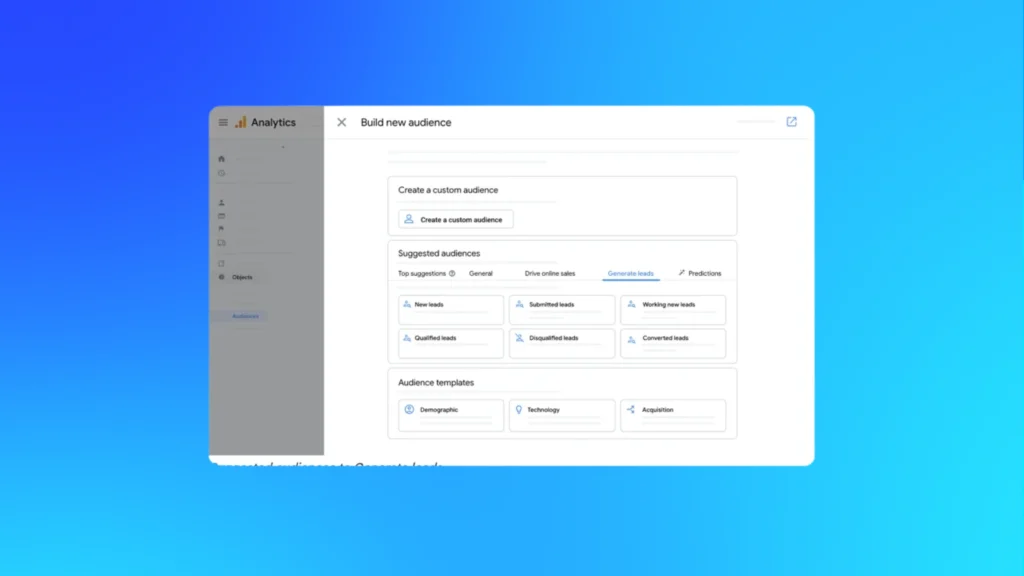
Google Analytics has rolled out two suggested audience templates to make lifecycle targeting and remarketing less of a slog. “High-value Purchasers” uses purchase count or LTV, with a new LTV percentile field to isolate your top spenders.
Meanwhile, “Disengaged Purchasers” groups customers by days since last purchase so you can win back lapsed buyers with precision. These audiences can be used in reports or pushed straight into Google Ads for acquisition and retention plays.
The gurus’ take
Google is finally productising what good marketers were hacking together in custom segments anyway. We’ve seen again and again that separating VIPs from everyone else lifts ROAS and stabilises spend, especially in volatile markets. Having that logic baked into Google Analytics lowers the barrier for teams who do not live in SQL all day.
The magic happens when you send these audiences into ads. High-value templates are perfect for cloning your best customers, while disengaged buyers scream out for thoughtful win back flows. Treat this as a chance to tidy your retargeting and remarketing strategy.
Your action plan
- Turn on and customise the High value Purchasers template to reflect your real VIP thresholds.
- Define Disengaged Purchasers windows based on your actual buying cycle, not guesses.
- Sync both audiences to Google Ads and map them to clear lifecycle goals.
- Test differentiated creative and bids for high value, regular and lapsed segments, then roll winners into always on campaigns.
Let the gurus tune your AI game
AI search has long ceased to be a science experiment. It is the new front door to how people research, compare and buy. If you want to turn Gemini, Google AI and ChatGPT from risk into advantage, our world-class SEO, paid media and content teams are ready to help.
Reach out for a free strategy session and see how Australia’s leading digital marketing agency can grow your organic traffic, revenue and brand visibility for your business.

About the Author
Andrew Raso
Share